SEVENTEEN Light Stick Japan Setup: Firmware Versions, Seat Registration and Batteries
VER.3 and VER.3 10th Anniv. are both supported in the official Japan light-stick guidance for JEONGHAN X JOSHUA JOURNEY INTO [DREAMING]. The important difference for preparation is their firmware number: the current notice lists 1.7 for VER.3 and 1.7.1 for the anniversary model.
Buying another light stick is not the first troubleshooting step. Identify the model you own, update the appropriate software and verify the seat saved for the performance you will attend. These are show-specific instructions, checked October 29, 2026.
The concert setting
This archive photograph shows SEVENTEEN performing from moving carts during the Follow Tour in the Philippines. It illustrates the live-concert setting; it is not a photograph of the Japan unit show or a product comparison.
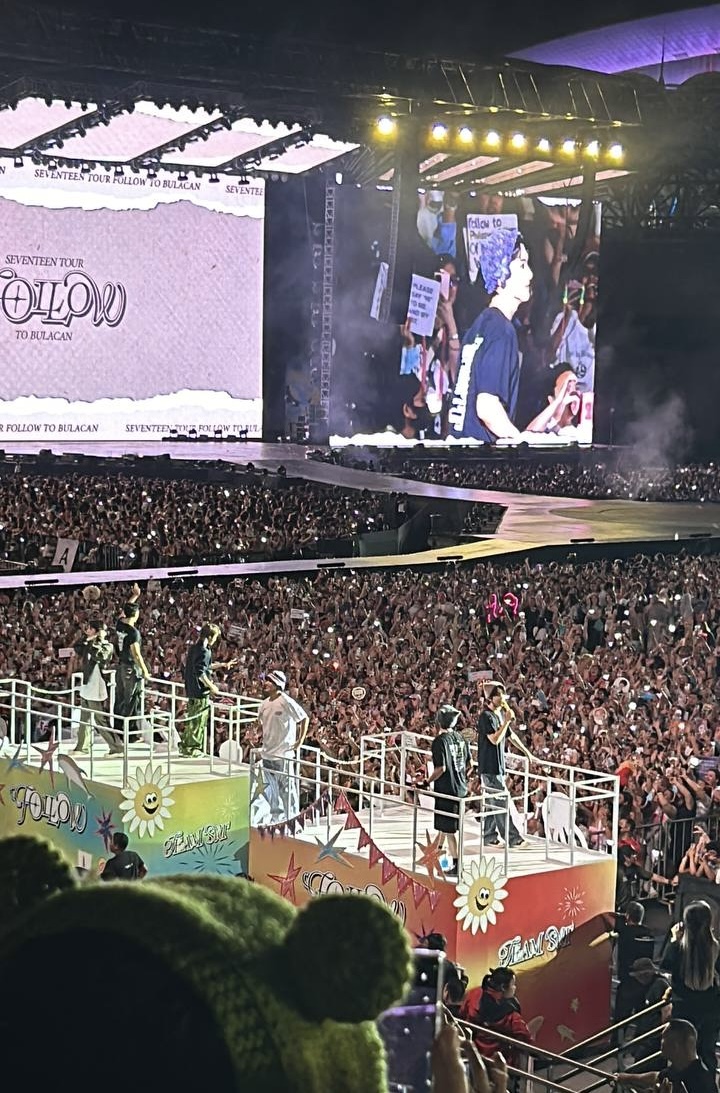
Photo: Patrick Cristiano, Wikimedia Commons, CC BY-SA 4.0. Display resized.

1. Match the model and firmware
The Japan notice names the regular VER.3 and VER.3 10th Anniv. for wireless stage control. It does not extend that support to every earlier SEVENTEEN light stick. Update the SEVENTEEN LIGHT STICK VER3 app before preparing the device.
Check the firmware instruction for your exact model: 1.7 for VER.3; 1.7.1 for VER.3 10th Anniv. These are the versions displayed in the notice at the time of checking, so revisit it before departure in case the organizer updates the guidance.
Open the official Japan setup and firmware guide →
2. Save the seat for the right performance
Prepare at home or your accommodation when the event is available in the app. The organizer warns that crowded venue networks can make last-minute registration difficult. Enter the ticket details for the performance you are actually attending.
Only the last registered performance and seat are matched. Attending two dates does not mean both seats remain active at once. If your seat changes, enter the corrected information through the official app.
After pairing, open the app's menu and check its seat-information screen against the ticket. An interrupted or failed attempt is not a completed registration; the official FAQ says unsuccessful seat details will not appear there.
3. Prepare the three batteries together
The notice calls for three new AAA alkaline batteries of the same brand. Replace the full set, check polarity and bring spares if needed. Do not assume yesterday's batteries will last another performance.
When the light stick is not in use, remove the batteries for storage. The FAQ says removing batteries does not erase a successfully saved seat, so battery removal alone does not require you to pair again.
4. Know what happens inside the venue
During central control, the light changes automatically and personal control is restricted. That is expected behavior, rather than proof of a fault. The FAQ also says the phone app and Bluetooth do not have to remain running throughout the concert after pairing and seat registration are complete.
If setup fails, use the official pairing or repair booth and follow staff instructions. Visitors without a smartphone are directed to the venue pairing booth. Booth arrangements may change with conditions on the day, so allow time and check the organizer's current notice.
Before you leave
Confirm the model, firmware, saved seat and fresh batteries as four separate checks. Keep your ticket readily accessible so a staff member can compare it with the registered information if you need help.
For another SEVENTEEN member release to explore after your concert preparation, our published HOSHI guide identifies BOYFRIEND's release and songwriting credits.
Read the HOSHI BOYFRIEND release guide →
Source: SEVENTEEN Japan official light-stick page and FAQ, checked October 29, 2026. Follow the current instructions for your specific event; this guide is not a claim of personal device testing.